CuriousRubik

Recent Posts

Setting Up Multiple Currencies in NetSuite

Posted by CuriousRubik on 22 Feb, 2018

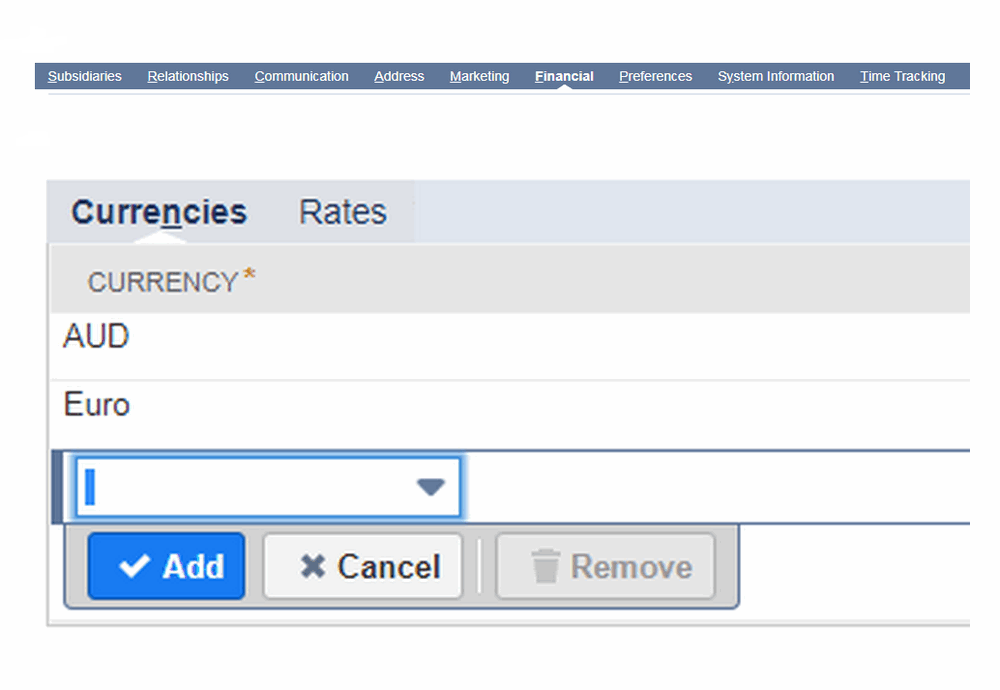
Currency used as a medium of exchange for goods and services. Companies that have offices in other countries, or those that frequently do business with foreign companies, must record and track transactions in foreign currencies.If you have a customer that wants to interact with you in a different currency from your base currency, you will have to establish a new customer record.  For this reason, it may make more sense to turn on the Multi-Currency Customers and Vendors feature. NetSuite's financial management capabilities you can price your items in multiple foreign currencies to ensure customers. NetSuite supports all ISO 4217 standard currencies.

Read More

Topics: NetSuite, Netsuiteblog

Steps to Building & Unbuilding Assembly items for manufacturing .

Posted by CuriousRubik on 21 Feb, 2018

Building:

Read More

Topics: NetSuite, Netsuiteblog

Learn about NetSuite Dashboard and How to Personalize NetSuite Dashboard?

Posted by CuriousRubik on 19 Feb, 2018

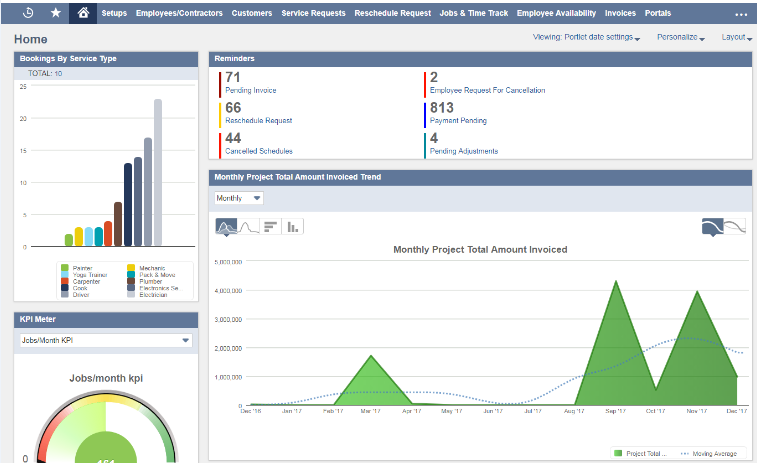
The Dashboard is the first thing users will see when they login into the NetSuite, with dashboards users can get a high-level overview on what's happening on their day to day business.

Read More

Topics: NetSuite

How to Handle Assembly Work Orders in NetSuite

Posted by CuriousRubik on 19 Feb, 2018

A work order is control your production and flow of inventory within your business, it means track the assembly items required for stock. work order representing a each step of physical work to be completed in a warehouse and track the availability of each component an assembly that need to be built.

Read More

Topics: Netsuiteblog

How to track “Inventory Record & Item Types” in NetSuite

Posted by CuriousRubik on 24 Jan, 2018

Track your items Individually or as group and can also track serial and lot number of you inventory. Includes history of the recent transaction in each inventory item.You can also Track the items individual or group of track the inventory items.

Read More

Topics: NetSuite

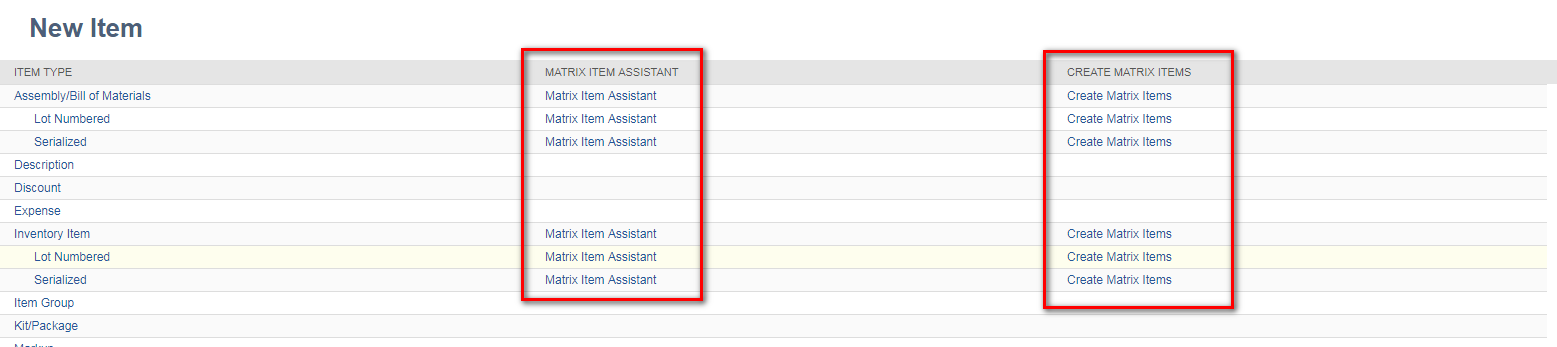
How to create Matrix Assemblies & Phantom Assemblies in Netsuite.

Posted by CuriousRubik on 22 Jan, 2018

Firstly enable the assembly items, Matrix items features to use matrix assemblies. After enable the features in item records contain a matrix assemblies.


Matrix Assemblies:  It is useful to planning the assembly items and production tracking purpose. Using the matrix to allows faster order entry items with different attributes, such as clothing items that come in different sizes and colors. Each group of attributes is unique and will have its own SKU, as well as its own price. Matrix items can be created at once by creating the parent item, selecting the options and system create the subitems. For example, a T-shirt could be defined by size and color.

Read More

Topics: NetSuite, Netsuiteblog

Explanation about Vendor creation and inactivation process in NetSuite OneWorld Account.

Posted by CuriousRubik on 22 Jan, 2018

A vendor is a person or company that supplies goods or services to a company.

Read More

Topics: NetSuite, clouderp

Creating Custom List Portlets in Netsuite

Posted by CuriousRubik on 09 Jan, 2018

A portlet is essentially a visual plug-in that you can add and arrange on your NetSuite dashboard to highlight certain information. It gives you a snapshot of your business, and the plethora of portlet options allow you to tailor your view. The Personalize Dashboard panel displays the content that you can add to your dashboard on tabs for Standard Content, Report Snapshots, and Trend Graphs. The portlets that you are currently using appear on the Currently Used tab.

Read More

Topics: NetSuite

How to create & use ‘Pricing Group’ in NetSuite

Posted by CuriousRubik on 08 Jan, 2018

By using ‘Pricing Group’, as per customer based prices are displayed in sales transactions. For example customer is a wholesaler. And sell the all items at wholesale price. In sales transactions price levels mentioning for each added item at line level record it’s take more time. But we have an option In NetSuite. That is ‘Pricing Group’. By using this ‘Pricing Group’ in sales transactions prices are displayed as per customer-specific dynamically when add the item in sales transaction.

Read More

Topics: NetSuite

Featured E-Books

  • NetSuite CuriousRubik
  • NetSuite CuriousRubik
  • NetSuite CuriousRubik
  • NetSuite CuriousRubik
  • NetSuite CuriousRubik
  • NetSuite CuriousRubik
  • NetSuite CuriousRubik
  • NetSuite CuriousRubik
  • NetSuite CuriousRubik
  • NetSuite CuriousRubik
  • NetSuite CuriousRubik
  • NetSuite CuriousRubik
  • NetSuite CuriousRubik
  • NetSuite CuriousRubik
  • NetSuite CuriousRubik
  • NetSuite CuriousRubik
  • NetSuite CuriousRubik
  • NetSuite CuriousRubik
  • NetSuite CuriousRubik
  • NetSuite CuriousRubik
  • NetSuite CuriousRubik
  • NetSuite CuriousRubik
  • NetSuite CuriousRubik
  • NetSuite CuriousRubik
  • NetSuite CuriousRubik
  • NetSuite CuriousRubik
  • NetSuite CuriousRubik
  • NetSuite CuriousRubik
  • NetSuite CuriousRubik
  • NetSuite CuriousRubik
  • NetSuite CuriousRubik
  • NetSuite CuriousRubik
  • NetSuite CuriousRubik
  • NetSuite CuriousRubik
  • NetSuite CuriousRubik
  • NetSuite CuriousRubik
  • NetSuite CuriousRubik
  • NetSuite CuriousRubik
  • NetSuite CuriousRubik
  • NetSuite CuriousRubik
  • NetSuite CuriousRubik
  • NetSuite CuriousRubik
  • NetSuite CuriousRubik
  • NetSuite CuriousRubik
  • NetSuite CuriousRubik
  • NetSuite CuriousRubik

Follow Us

twitterfacebook3linkedin1google_plus2play125


badge Original

We are proud to announce that we have been awarded the Prestigious Partner Of the Year Award @ NetSuite SuiteWorld, a global event of NetSuite with over 7000+ attendees and hundreds of partners. CuriousRubik is humbled and honored to win this award, and motivated to continue developing SuiteApps and delivering best in class NetSuite services globally.