
Whether you are a third-party logistics company, or you have some extra storage space you would like to rent, a question that often gets asked is “How would NetSuite handle this process?”. Using built-in NetSuite functionality, we can install a set of processes that will allow us to receive our Customer's inventory, ship orders to their end clients, and bill them for service rendered. In this manner we will also be able to continue using NetSuite as a full ERP system to manage our own inventory, finances, employees and all the other awesome things NetSuite does.
CuriousRubik
Recent Posts
Topics: NetSuite, Netsuiteblog, netsuiteupdates
Commission calculations are usually complex and can vary widely from organization to organization. Previously, you may have been manually calculating & maintaining these calculations in an Excel application, but NetSuite has an Incentive Compensation module that can assist with these calculations, as well as tracking, authorization, and payments.

Topics: NetSuite, Netsuiteblog
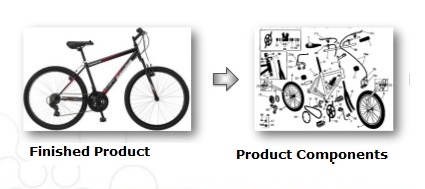
- For example, a computer is exploded into hard drives, RAM, Processors, chips etc.. which are included into the requirement of entire computer.

- The Manufacturing bill of materials(BOM) be made up of all the assemblies and parts required to construct a finished and shippable product.
Advanced Bill Of Materials (BOM):
Topics: NetSuite, Inventory, manufacturig
Steps to Building & Unbuilding Assembly items for manufacturing .
Topics: NetSuite, Netsuiteblog
Use out-of-the-box branding options to change look-and-feel of your company’s brand website.
Topics: Customization, NetSuite
Give a role permission to edit existing records but restrict it from creating a new
- Navigate to Setup > Customization > Workflow > New.
- Enter Restrict Create Custom Record in the Name field.
- Select the Custom Record Type in the Record Type field.
- Check the On Create check box.
- Set Trigger Type to Before Record Load.
- Set the Event Type to Create.
- Click the button next to the Condition field.
- Select User Role under the Field column.
- Set the Compare Type to any of.
- Click the Select Multiple button in the Selection column.
- Select the roles that should be restricted from creating new records.
- Click Done.
- Click Save.
- Check the Execute as Admin check box in the Basic Information section of the workflow summary.
- Set the Release Status to Released.
- Check the Enable Logging check box.
Topics: Customization
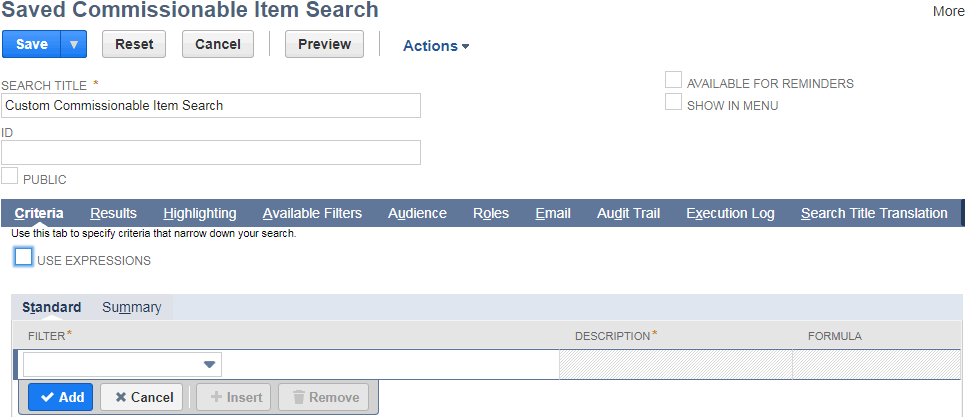
A saved search is a reusable search definition, whcih can have many advanced search filters and results display options. Saved search results provide reporting and tracking and can serve as the basis for business analysis and strategic decision-making.
Topics: Customization, Global business


Twitter
Linkedin
Youtube
Google +
Face Book