
With the release of version 2010.2, Cost of Goods Sold (COGS) program does not automatically perform costing corrections in past periods. This is dependent on users not having transactions with mismatched date/period.
User is getting you need “Set up Accounting” Permission to access this page when trying to view the memorized transaction. Even after granting Setup Accounting permission user still gets the same error.
Steps to grant permission for memorized transaction:
- Navigate to Setup > User/Roles > Manage Roles
- Edit the custom role
- Navigate to Permissions > Reports
- Grant access to Report Scheduling and click on save
0 Comments Click here to read/write comments
Topics: Customization
There could be scenario where sales rep field needs to be updated to multiple transactions like Estimate, Sales Order, and Invoice etc., When user tries to perform mass update for the sales rep field of transactions, Sales Rep field may be found missing. This is caused by enabling the Team Selling Feature. To disable this feature:
0 Comments Click here to read/write comments
- Go to Customization > Lists, Records & Fields > Transaction Column Fields > New
- Enter the name of the label and select the type as Free-Form or Integer
- Uncheck the Store Value checkbox and select applies to as Sales
- Under Validation and Defaulting tab, check Formula and enter {linenumber} in the Default Value and click Save.
0 Comments Click here to read/write comments
Topics: Customization
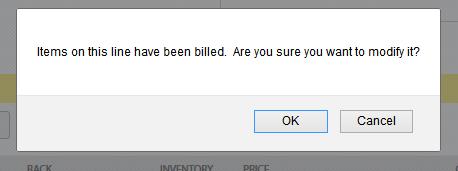
Perform the following steps to reflect a price of an Item decreasing on a Sales Order that has been Billed and an Invoice that has been paid:
0 Comments Click here to read/write comments
Perform the below steps to show the customer deposit as a lint item on a Sales Order:
- Create a Payment type Item
a. Navigate to Payment from List > Accounting > Items >New
b. Enter an Item Name
Note: This account will only be used on a Sales Order so any account associated with this item will not be impacted, since Sales Order is a non-posting transaction.
2. Edit the Sales Order where a deposit has been entered
a. Navigate to Items tab
b. In the last row add the item created from Step 1
c. Enter the amount for the Deposit in the Rate field and place a negative sign(-) before the amount
d. Click Save.
Note: Remove this line item on the invoice when billing the customer
0 Comments Click here to read/write comments
There are two instances why an Estimate shows as processed even when there are no Transactions:
- When an opportunity has multiple Estimates and when one Estimated is processed then all the other Estimates related to that Opportunity are also set with same status
0 Comments Click here to read/write comments
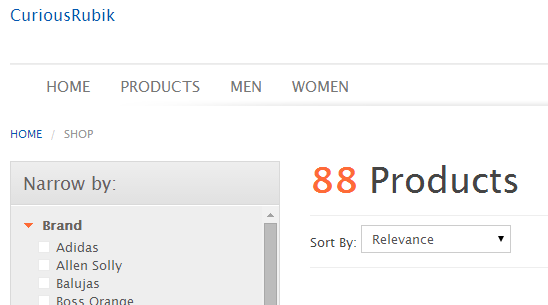
To add Menu bars in the “Configuration.js” in “navigationTabs” section and need to provide the URL for each Menu Bar we added here.
0 Comments Click here to read/write comments
Topics: ECOMMERCE


















































 Twitter
 Linkedin
 Youtube
 Google +
 Face Book